
 ไทย
ไทย English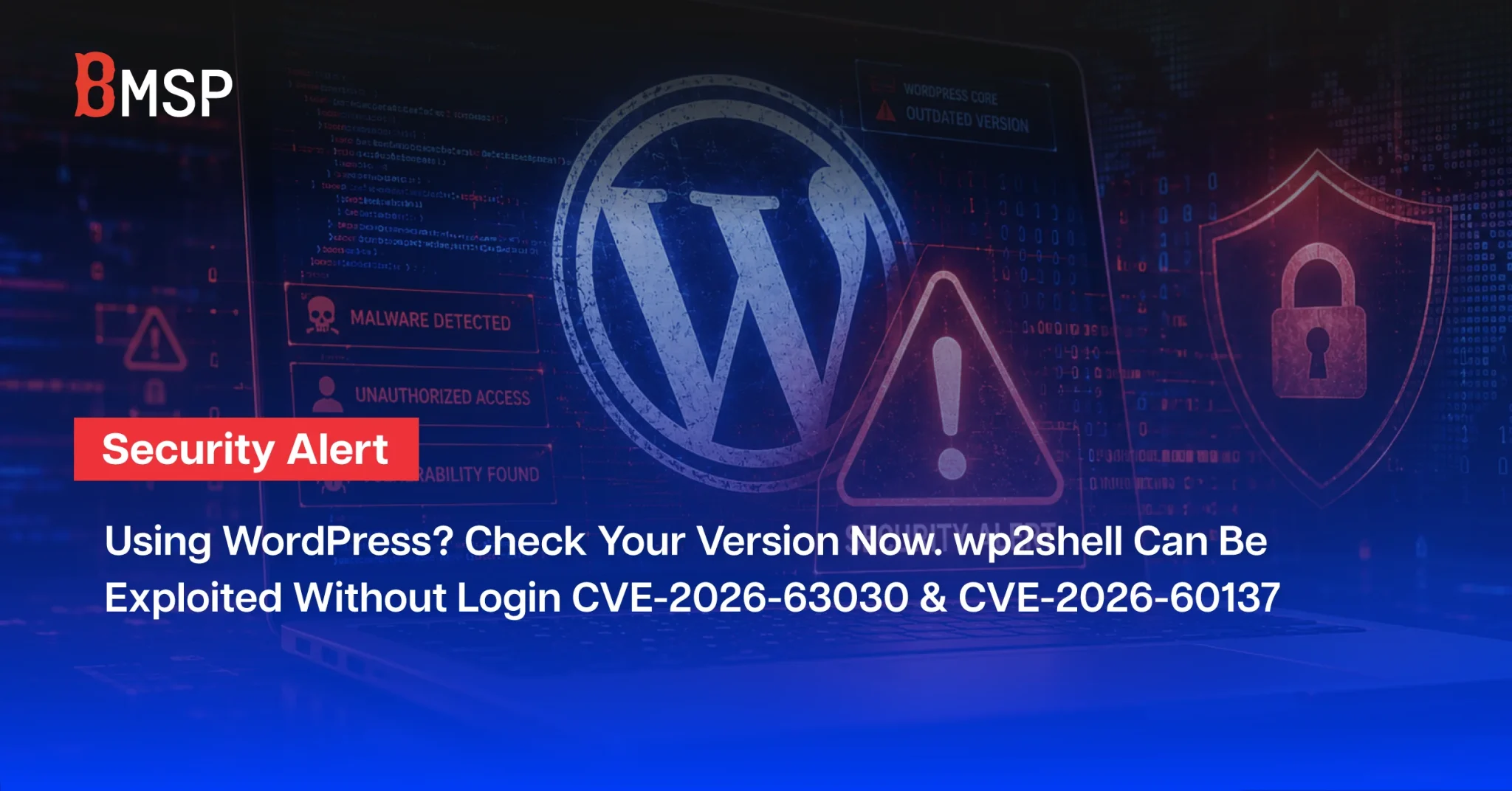

WordPress Core Vulnerabilities Enable Unauthenticated Attacks. Organizations Should Patch Immediately and Investigate Previous Exposure
If your organization uses WordPress for a corporate website, campaign landing page, membership platform, ecommerce service, or a website managed by an external agency, now is the time to urgently review the version and security status of every WordPress instance.
On 17 July 2026, two critical vulnerabilities affecting WordPress Core were disclosed: CVE-2026-63030 and CVE-2026-60137. When chained together, these vulnerabilities can be used in an attack known as wp2shell.
The primary concern is that attackers may be able to target an internet-facing WordPress website without an existing user account or valid login credentials. A successful attack could lead to database access, credential theft, administrator account takeover, and potentially complete control of the website or remote command execution on the underlying server.
According to a CloudSEK Threat Advisory, exploitation attempts were detected shortly after the vulnerabilities were disclosed, and working Proof-of-Concept code was later made publicly available. Organizations using affected WordPress versions should not rely solely on automatic updates. They should verify that every WordPress instance has been successfully patched and review logs, user accounts, plugins, and files for signs of previous compromise.
This article explains what wp2shell is, which WordPress versions are affected, the potential business impact, and the immediate actions organizations should take to prevent exploitation and determine whether their systems may already have been accessed.
Table of Contents
What Happened to WordPress?
On 17 July 2026, two critical vulnerabilities in WordPress Core were disclosed: CVE-2026-63030 and CVE-2026-60137. These vulnerabilities can be chained together to create an attack path known as wp2shell.
The most significant risk is that an attacker may be able to target a WordPress website remotely without having a user account, logging in, or exploiting a vulnerable third-party plugin.
A successful attack could allow the attacker to read information from the database, steal administrator credentials, and eventually take control of the website or execute commands on the underlying server.
CloudSEK’s Threat Advisory, which includes information collected through 20 July 2026, reported that exploitation attempts were detected shortly after public disclosure. Public Proof-of-Concept code was also released, increasing the likelihood of widespread attacks against vulnerable WordPress websites.
Organizations still running affected WordPress versions should take immediate action.
How Does wp2shell Work?
wp2shell is not a single vulnerability. It is an attack chain that combines two vulnerabilities in WordPress Core.
The first vulnerability relates to how the WordPress REST API processes batch requests, potentially causing authorization checks to be handled incorrectly.
The second vulnerability is an SQL injection issue affecting WordPress search and query processing.
By chaining these vulnerabilities together, an unauthenticated attacker may be able to send specially crafted requests to a website’s REST API and access information stored in the WordPress database.
Potentially exposed information may include:
- WordPress administrator usernames
- Password hashes
- Customer and user information
- API keys and secrets stored in the database
- Website configuration data
- Information from ecommerce, membership, or other plugins
After obtaining account information or secrets, an attacker may attempt to crack password hashes, reuse credentials on other systems, or log in with administrator privileges.
The attacker could then install malicious plugins, create hidden administrator accounts, modify website files, or deploy a web shell to maintain persistent access.
In other words, the attack may begin with unauthorized database access and end with complete control of the website.
Why is This Threat Considered Critical?
CloudSEK classified the threat as Critical, with exploitation status reported as Active, Confirmed.
Several factors make wp2shell particularly dangerous.
No Login Is Required
An attacker does not need a valid username or password and does not need to trick a user into opening a file or clicking a malicious link.
The Vulnerabilities Affect WordPress Core
The issue is not limited to a specific third-party plugin. Because the vulnerabilities affect WordPress Core, the potential scope is broader than a typical plugin vulnerability.
Proof-of-Concept Code Is Publicly Available
The advisory reported that Proof-of-Concept code was published on GitHub on 18 July 2026. Public exploit code lowers the technical barrier for attackers and may accelerate automated scanning and exploitation.
Exploitation Attempts Began Shortly After Disclosure
Multiple security organizations reported exploitation attempts within a short period after the vulnerabilities became public.
Early-Stage Attacks May Leave Limited Evidence
During the initial stage, an attacker may use blind SQL injection to extract database information without creating new files or generating obvious errors.
Organizations should therefore not assume that a website is secure simply because no web shell or visible website modification has been discovered.
Affected WordPress Versions
According to the CloudSEK advisory, affected versions can be divided into two groups.
Affected by the Complete wp2shell Attack Chain
- WordPress 6.9.0–6.9.4
- WordPress 7.0.0–7.0.1
Websites running these versions may be exposed to the complete attack path, from SQL injection to potential remote code execution.
Affected by the SQL Injection Component
- WordPress 6.8.0–6.8.5
Patched Versions
Organizations should update to one of the following patched releases or a newer supported version:
- WordPress 6.8.6
- WordPress 6.9.5
- WordPress 7.0.2
- WordPress 7.1 Beta 2
WordPress versions earlier than 6.8.0 were reported as outside the scope of this particular vulnerability chain. However, using an outdated WordPress version should not be considered a safe alternative, as older releases may contain other known vulnerabilities and may no longer receive security updates.
Potential Business Impact
Data Breaches
Attackers may be able to access user data, customer information, password hashes, API keys, and other secrets stored by WordPress or its plugins.
For websites connected to membership systems, online stores, payment services, or customer databases, the impact may include exposure of personal and commercially sensitive information.
Website Defacement and Malicious Content
A compromised website may be used to display spam, redirect visitors to fraudulent websites, distribute malware, or host phishing pages under a trusted corporate domain.
Reputational Damage and Search Ranking Loss
SEO spam, malicious redirects, or browser security warnings may damage the organization’s reputation and cause search engines to reduce the website’s ranking or remove pages from search results.
The effects may continue even after the immediate compromise has been resolved.
Service Disruption
Although availability may not be the primary objective of the attack, the website could become unavailable because of malicious file changes, unsuccessful exploitation attempts, incident-response activities, or system restoration.
What Should Organizations Do Immediately?
1. Update WordPress Core
Update every WordPress instance to a patched version as soon as possible.
- For the 6.8.x branch, update to WordPress 6.8.6 or later.
- For the 6.9.x branch, update to WordPress 6.9.5 or later.
- For the 7.0.x branch, update to WordPress 7.0.2 or later.
Internet-facing WordPress websites should not wait for the organization’s normal maintenance cycle.
2. Confirm That the Update Was Successfully Installed
Although WordPress may support forced automatic security updates, updates can fail for several reasons, including:
- Automatic updates have been disabled.
- File permissions are incorrect.
- The website is deployed through version control or a custom deployment process.
- The environment contains multiple servers or instances.
- Staging or campaign websites are not centrally managed.
- The hosting environment prevents files from being updated.
IT teams should directly verify the installed version of every website rather than assuming that all instances were updated automatically.
3. Create an Inventory of Every WordPress Instance
The review should cover more than the organization’s primary website.
The inventory should include:
- Corporate websites
- Campaign landing pages
- Subsidiary websites
- Membership portals
- Ecommerce websites
- Staging and development environments
- Websites managed by agencies or contractors
- Legacy websites that are still accessible from the internet
Forgotten websites and systems without a clearly assigned owner are often attractive targets for attackers.
4. Review Logs Dating Back to 17 July 2026
Search web server, WAF, reverse proxy, and application logs for requests involving:
/wp-json/batch/v1
?rest_route=/batch/v1
Pay particular attention to:
- POST requests from previously unseen IP addresses
- Large numbers of requests within a short period
- Requests with unusual or repeatedly changing response times
- Suspicious values in the
author__not_inparameter - Plugin installation or upload activity without an approved change request
Access to a batch endpoint alone does not confirm an attack. Security teams should review the complete request pattern and correlate it with other system activity.
5. Investigate Suspicious Accounts and Files
Look for indicators that an attacker may already have gained access, such as:
- Newly created administrator accounts
- Logins from unfamiliar countries or hosting providers
- Unknown or unauthorized plugins
- PHP files located in
wp-content/uploads/ - Modified files in plugin directories without a corresponding deployment record
- New cron jobs or scheduled tasks
- Unauthorized changes to
wp-config.php - Changes to redirect settings, the WordPress Address, or Site Address
6. Rotate Credentials and Secrets
An internet-facing website that ran WordPress 6.9.0–6.9.4 or 7.0.0–7.0.1 after 17 July 2026 should be treated as potentially exposed, even when no confirmed evidence of compromise has been found.
Organizations should consider rotating:
- WordPress administrator passwords
- Database passwords
- API keys and access tokens
- WordPress authentication keys and salts
- Hosting and control-panel credentials
- Credentials reused across other services
Installing a patch prevents new exploitation, but it does not invalidate password hashes, credentials, or secrets that may already have been stolen.
7. Verify WAF Protection
Organizations using Cloudflare or another Web Application Firewall should confirm that relevant managed security rules are operating in Block mode rather than Log Only mode.
Teams should also review custom overrides and exclusions that may have weakened protection.
The WordPress origin server should not be directly accessible from the internet. If attackers can connect directly to the origin server, they may bypass the WAF entirely.
8. Apply Temporary Mitigation When Immediate Patching Is Not Possible
As a temporary measure, organizations may block or restrict access to:
/wp-json/batch/v1
?rest_route=/batch/v1
Anonymous REST API access may also be restricted through the WAF or reverse proxy.
These measures should be used only as temporary protection because they may affect legitimate website functionality or plugins that rely on the WordPress REST API. They must not be treated as a replacement for installing the security update.
The Most Important Lesson
Organizations must answer two separate questions:
- Has the system been patched to prevent new exploitation?
- Was the system accessed or compromised before the patch was installed?
Updating WordPress only addresses the first question.
Answering the second requires log analysis, threat hunting, credential rotation, user-account review, and investigation for persistence mechanisms.
If a website was running an affected version and was accessible from the internet, the organization should not stop after clicking the update button. It should conduct a thorough retrospective investigation.
How BMSP and CloudSEK Help Organizations Identify External Threats
The wp2shell incident demonstrates that the time between public vulnerability disclosure and active exploitation may be reduced to only a few hours.
BMSP provides Digital Risk Protection, Dark Web Monitoring, and Cyber Threat Intelligence services powered by CloudSEK. These capabilities help organizations identify risks outside the boundaries of their internal systems, including:
- Leaked employee or customer credentials
- Attackers advertising access to corporate websites or systems
- Organizational information appearing in stealer logs
- Discussions of exploits or vulnerabilities affecting the organization’s technologies
- Fake domains, phishing websites, and brand impersonation
- Internet-exposed digital assets that the organization may not know about
- Sensitive information being published, shared, or sold on dark web and underground forums
Integrating threat intelligence with SOC operations, vulnerability management, and incident response helps organizations prioritize risks based on real-world attacker activity and respond before stolen data or system access is used for further attacks.
Key Takeaways
wp2shell is a critical WordPress Core vulnerability chain that may allow an attacker to target an internet-facing website without logging in, access information from the database, and potentially escalate the attack until the website or underlying server is fully compromised.
Organizations should immediately:
- Update WordPress to the latest patched version.
- Verify every website and WordPress instance.
- Review logs dating back to 17 July 2026.
- Investigate suspicious accounts, plugins, and files.
- Rotate credentials and secrets that may have been exposed.
- Confirm that WAF rules are operating in Block mode.
- Conduct threat hunting even after the patch has been installed.
For this incident, rapid patching is essential. However, determining whether an attacker accessed the system before the update is equally important.
Reference: CloudSEK Threat Advisory, “wp2shell: WordPress Core Pre-Authentication RCE Chain,” based on information collected through 20 July 2026.