
 ไทย
ไทย English

Critical organizational data, including work files, databases, customer information, and data generated by business systems, plays an essential role in daily operations. If that data is lost due to user error, hardware failure, or cyber threats, it can have a direct impact on business operations.
One of the fundamental approaches that helps reduce this risk is the 3-2-1 Backup Rule, which provides organizations with a structured way to plan data backups and increases the likelihood of successful recovery when unexpected incidents occur.
Table of Contents
The 3-2-1 Backup Rule, in the form widely recognized today, was popularized by Peter Krogh, a photographer and Digital Asset Management expert who summarized backup best practices into the easy-to-understand and easy-to-remember 3-2-1 format in his book The DAM Book: Digital Asset Management for Photographers, first published in 2005.
Although the concepts of maintaining multiple backup copies and storing copies offsite had already been used before then, the 3-2-1 formula helped organize these practices into a simple and practical framework. It later became one of the most widely adopted fundamental approaches to data backup.
What Is the 3-2-1 Backup Rule?
The 3-2-1 Backup Rule is a fundamental approach to data backup based on three key principles:
- Maintain at least 3 copies of your data
- Store the data on at least 2 different types of storage media or systems
- Keep at least 1 backup copy offsite
This approach helps distribute risk so that all data does not depend on a single device, system, or location.
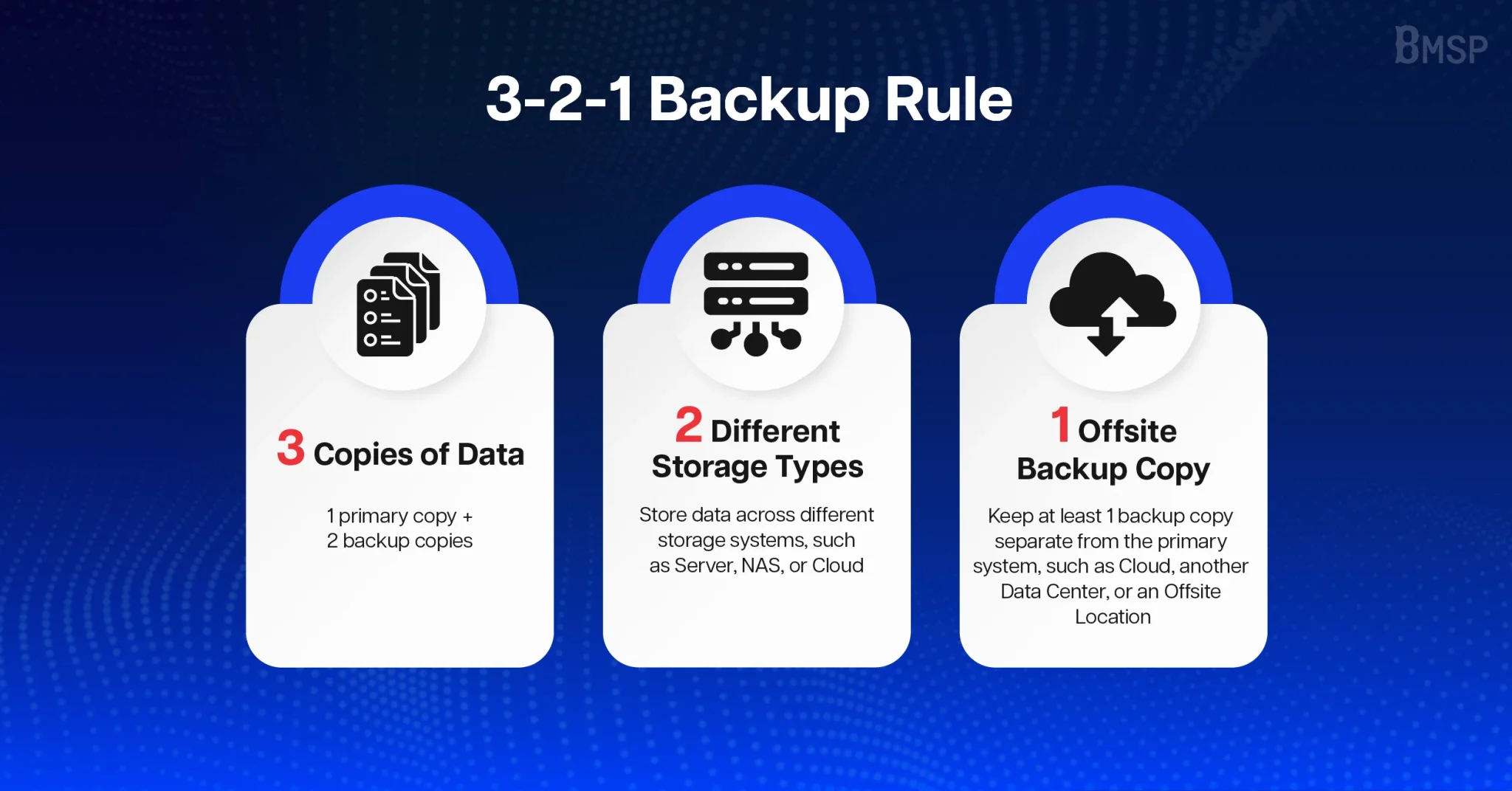
3 – Keep 3 Copies of Important Data
The 3 copies consist of 1 primary copy that is actively in use and 2 additional backup copies.
Having more than one backup copy helps reduce the risk if one backup becomes damaged, corrupted, accidentally deleted, or affected by Malware
It is important that each copy is stored separately and can be used for recovery when needed.
2 – Store Data on at Least 2 Different Types of Media or Systems
If all copies of data are stored on the same type of media or storage system, an issue affecting that system may impact multiple copies at the same time.
Organizations should therefore distribute backup data across different storage media or systems, such as:
- On-premises Server or Storage
- External Storage
- Network Attached Storage (NAS)
- Cloud Backup
- Storage or another Data Center
Using more than one type of storage system helps reduce reliance on a single infrastructure model.
1 – Keep at Least 1 Backup Copy Offsite
Offsite Backup refers to a backup copy stored separately from the location of the primary system.
If the Server and all Backup copies are located in the same office or Data Center, incidents such as fire, flooding, electrical faults, or theft could damage all copies at the same time.
An Offsite Backup may be stored in Cloud Backup, another Data Center, or another location physically separate from the primary system. Organizations should also consider separating accounts, user credentials, and access permissions where appropriate.
Example of Applying the 3-2-1 Rule in an Organization
Organizations can apply the 3-2-1 principle to work files, databases, and other critical data, for example:
- Copy 1:Primary data actively used on the main Server
- Copy 2:Automated Backup stored on a NAS or another storage system within the organization
- Copy 3:Encrypted Backup stored in the Cloud and separated from the location of the primary system
This type of structure helps reduce the impact of incidents such as Server failure, storage system issues, compromised accounts, or Malware encrypting data within the network.
In addition, organizations should avoid having all copies depend on the same account, password, or service provider. If that single point is compromised, an attacker may be able to access both the primary data and the Backup copies at the same time.
What Organizational Data Should Be Backed Up?
Backup planning should begin by identifying which data is critical to business operations and which data is required to restore systems after an incident.
Data that should be considered for backup includes:
- Important files and documentsused in business operations
- Application databases, such as customer data, product information, orders, and transaction records
- Images, videos, and other filesstored within organizational systems
- Configuration files and system settings
- Source Code and Scriptsdeveloped or used by the organization
- Data and configurations related to external systems
For systems where data changes continuously, organizations should not back up files alone. They should also ensure that databases and all components required for system recovery are backed up completely.
If the Service Provider Already Has a Backup System, Does the Organization Still Need Its Own Backup?
Cloud services or other platforms used by an organization may already provide Backup capabilities, but organizations should not assume that these services cover every possible incident.
Organizations should review details such as:
- How frequently are Backups performed?
- How long are Backup copies retained?
- Can individual files or databases be restored separately?
- Are Backup copies stored separately from the primary system?
- Are there costs or limitations associated with recovery?
- If access to the primary account is lost, can the Backup still be accessed?
A service provider’s Backup can serve as one of the copies under the 3-2-1 principle, but organizations should also maintain another Backup copy that they can control and access without relying entirely on a single provider.
How Often Should Data Be Backed Up?
There is no single Backup frequency that is suitable for every organization, as the appropriate schedule depends on the importance of the data and how frequently it changes.
Data that changes infrequently may be backed up daily or weekly, while systems that continuously process customer information, orders, or transactions may require hourly backups or even more frequent protection.
Before defining a Backup schedule, organizations should answer two important questions:
- If the system fails, how much historical data loss can the business tolerate? (RPO)
- After an incident occurs, how quickly must the business resume operations? (RTO)
The answers to these two questions help organizations determine an appropriate Backup frequency and design a recovery approach that aligns with the level of business impact they can tolerate.
A Backup That Has Never Been Tested May Not Be Ready When You Need It
Even if the system displays Backup Completed, data can still be lost. Backup files may be incomplete, databases may contain errors, or some components required to restore the system may not have been backed up.
Organizations should therefore perform Restore tests periodically and verify that:
- Files and databases can actually be restored and used
- Related systems and Applications can return to operation
- Required accounts, access permissions, and recovery information are available
- Recovery procedures are documented and responsibilities are clearly assigned
- Systems can be restored within the timeframe required by the business
Testing Restore procedures allows organizations to identify weaknesses in their Backup plans before a real incident occurs and improve the Recovery process in advance.
Evolving from 3-2-1 to the 3-2-1-1-0 Rule
For organizations that want to strengthen data protection further, the 3-2-1 principle can be extended to the 3-2-1-1-0 approach, which consists of:
- 3 copies of data
- 2 types of storage media or systems
- 1 copy stored offsite
- 1copy stored as an Offline Backup or Immutable Backup
- 0errors when verifying data recovery
Immutable Backup refers to backup data that cannot be modified or deleted for a defined period of time. It provides an additional layer of protection if an administrator account is compromised or if an attacker attempts to delete Backup copies before damaging the primary system.
This approach strengthens an organization’s ability to respond to threats such as Ransomware and incidents where Backup data may be targeted alongside the primary data.
- What Is the 3-2-1-1-0 Backup Strategy? Strengthening Data Protection Against Ransomware
Key Takeaways
The 3-2-1 Backup Rule is a fundamental approach that helps organizations reduce dependence on a single copy of data, storage system, or location by maintaining 3 copies of data, storing them across at least 2 types of media or storage systems, and keeping 1 Backup copy offsite.
However, the most important aspect of Backup is that when an incident occurs, the organization must be able to restore the data and resume business operations within an appropriate timeframe.
Build an Effective Backup and Recovery System Tailored to Your Organization with Solutions from BMSP
Applying the 3-2-1 principle in practice requires organizations to consider the type of data being protected, Backup frequency, retention periods, and recovery requirements based on the characteristics of each system.
BMSP provides Backup and Disaster Recovery solutions for organizations, supporting data backup and recovery as well as Backup in Cloud environments to help organizations manage and protect critical data in a structured way.
If your organization is still unsure whether its current Backup system adequately protects critical data or can meet business recovery requirements, contact BMSP to assess your readiness and design a Backup and Disaster Recovery approach that fits your systems and operational needs.